
The T20I series between India and South Africa will feature five matches, beginning on December 9, followed by two Test matches and three ODIs. This series is important for both teams as they look to fine-tune their squads ahead of the ICC T20 World Cup 2026.
With T20 cricket delivering fast-paced action and high-intensity moments, fans can expect an entertaining contest throughout the series. Tickets for the IND vs SA T20Is are now live, and you can book them from both District by Zomato and BookMyShow.
If you plan to watch the matches from the stadium, this blog covers all the key details about India vs SA T20I tickets.
Where to Buy India vs SA T20I Tickets
Fans can buy tickets for the India vs South Africa T20I series from District by Zomato and BookMyShow, as ticket sales are now live. Simply download the District app or the BookMyShow app, or visit their official websites, choose the match you want to attend, and complete the booking. Both platforms offer a smooth and secure ticketing process. It’s recommended to book early, as seats may fill quickly due to high demand.
Simple Process to Buy India vs SA T20I Tickets on District By Zomato
Here are the simple steps to purchase tickets for the India vs South Africa T20I series:
Step 1: Download the District by Zomato app or open its website in your browser, then sign up or log in using your email or mobile number to access the ticket section.
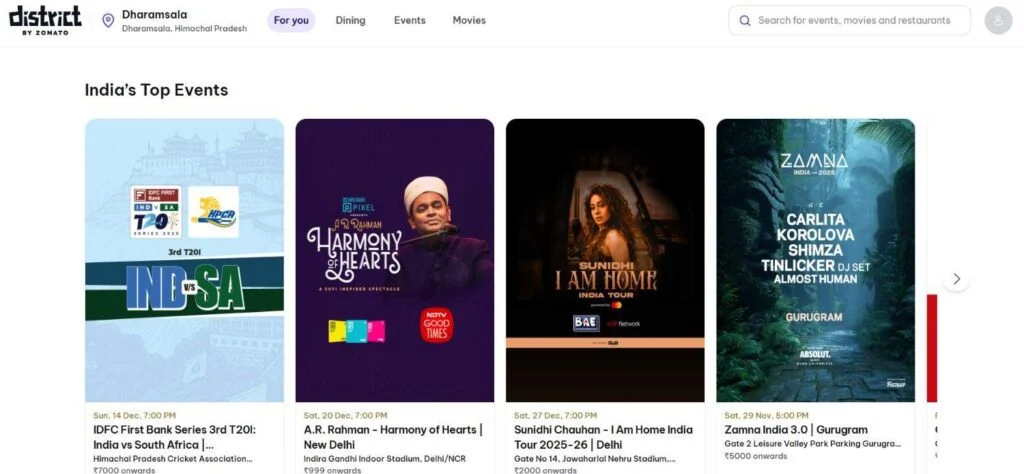
Step 2: Go to the events section, search for the India vs South Africa T20I match, and select the banner of India vs South Africa T20 match tickets.
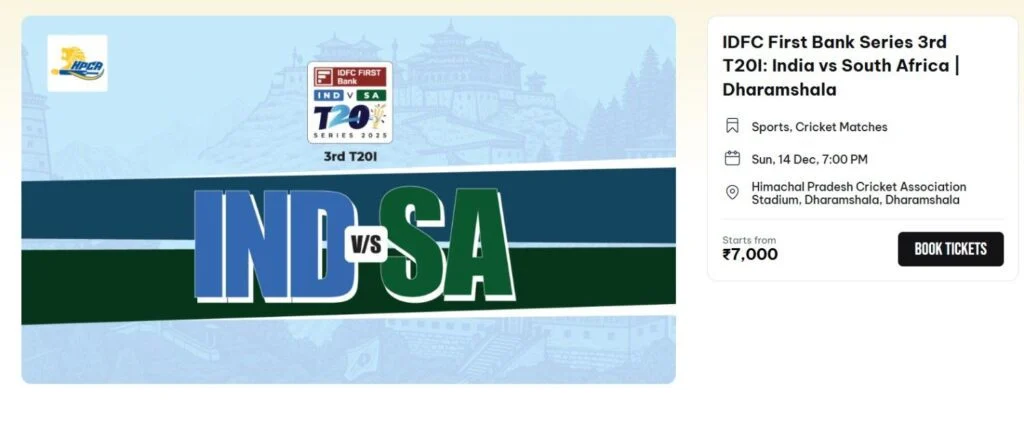
Step 3: Click “Book Tickets” to process the ticket, as tickets start at INR 7,000.
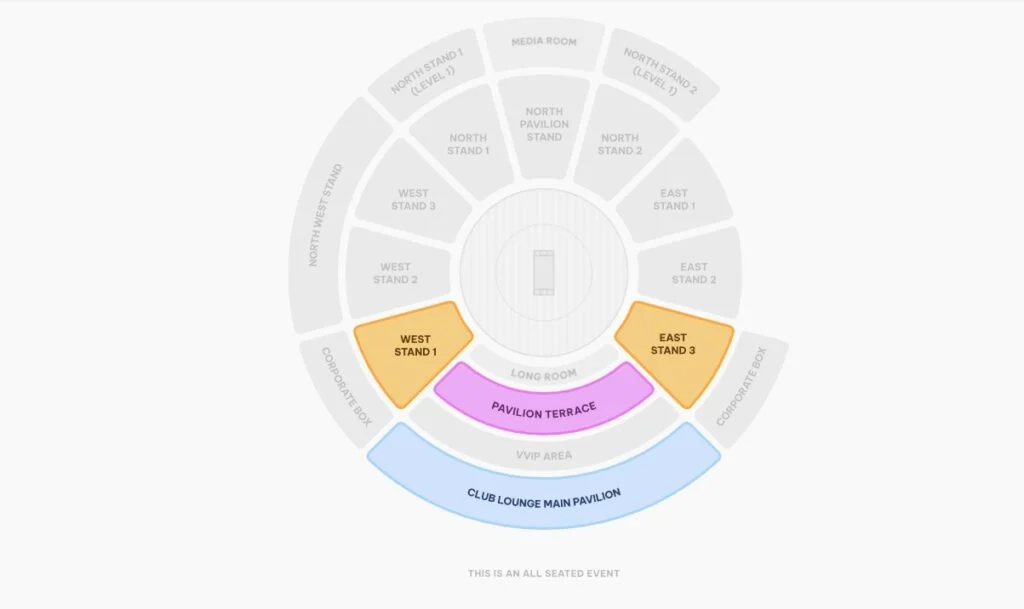
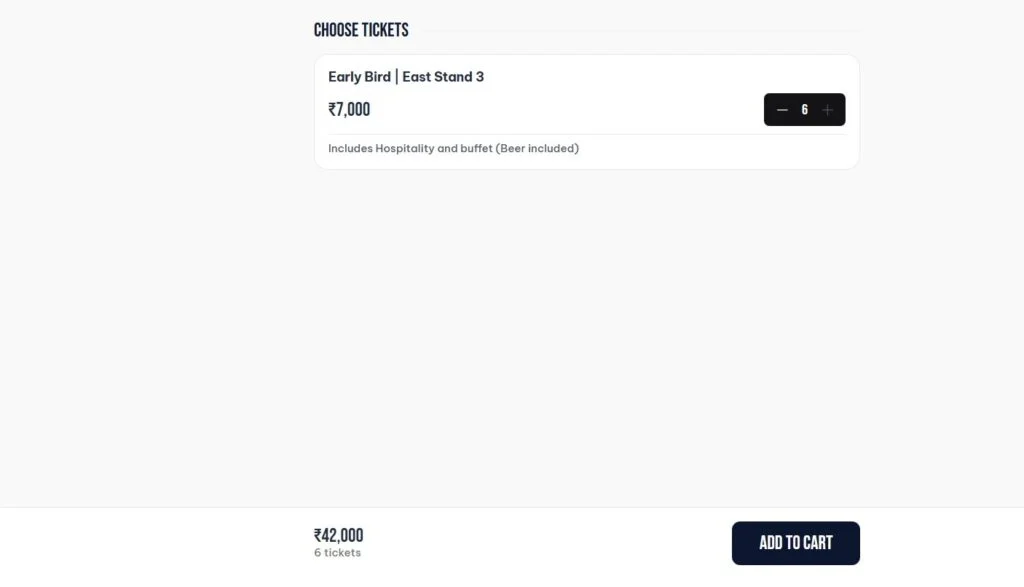
Step 4: Choose your preferred seats from the interactive stadium map. You can also enjoy a premium experience with hospitality services. After that, press (+) to get the number of tickets you want. Remember, you can only buy 6 tickets per ID.
Step 5: Enter your personal information, including your name, phone number, and email address, to complete the booking details for confirmation.
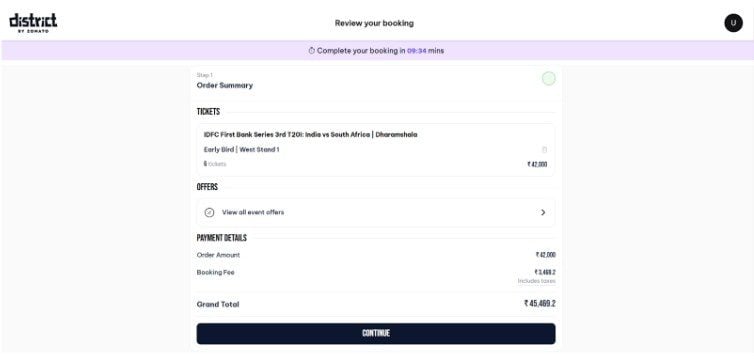
Step 6: Make the payment securely using your preferred method, such as credit card, debit card, UPI, or net banking, to confirm your ticket purchase. After payment, you will receive an email or SMS with your e-ticket and booking confirmation for the selected match.
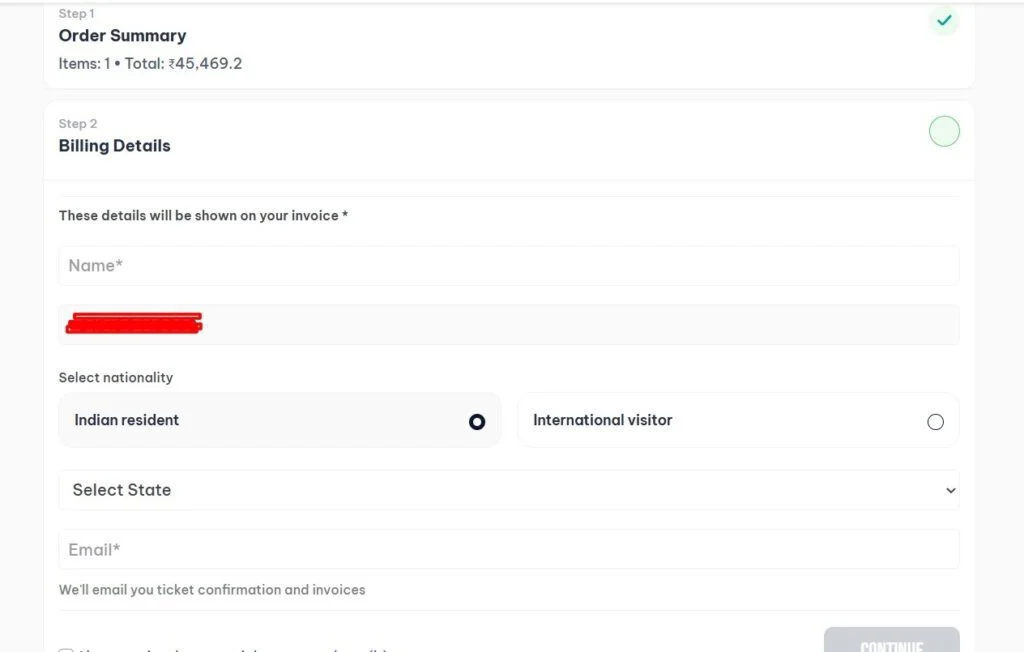
Step 7: Download the digital ticket on your phone, or print a copy if needed, and carry it with you for smooth entry into the stadium.
Simple Process to Buy India vs SA T20I Tickets on Bookmyshow
Step 1: Go to the BookMyShow app or website, where IND vs SA T20I tickets are now available.
Step 2: Search for the IND vs SA T20I match you want to attend.
Step 3: Select the venue, match date, and your preferred seating category.
Step 4: Choose your seats from the interactive stadium layout and confirm the quantity.
Step 5: Verify the match details, stand name, and price before moving to payment.
Step 6: Complete the payment and download your e-ticket from the orders section.
Related Read:
FAQs
Here are some essential FAQs you should know while booking the tickets:
Children who are 2 years old or older must have their own ticket to enter. Kids below 2 years can enter without a ticket, but they won’t get a separate seat and must stay with a guardian at all times.
Tickets cannot be canceled or refunded. A refund is only issued if the match is completely abandoned.
Yes, you can buy your tickets using either the District app or website.
International credit cards are accepted except for American Express (Amex). Make sure your card allows international payments and that the spending limit is enabled. If any issue continues, please contact your bank.
Follow the official Instagram page @districtupdates for all notifications and updates.
Each user can buy up to six tickets from the same category.
If your payment fails, the amount will automatically be returned to your original payment method within 7 working days. If there are any problems, email events@district.in.
Once you add tickets to your cart, you get 10 minutes to finish the purchase.
No physical tickets will be issued. All tickets will be available digitally in your profile section on the District app.
The QR code becomes visible 3 hours before the match. Make sure the app is downloaded and you are logged in beforehand.

Leave a Comment