
Mumbai Indians Women will enter WPL 2026 as the defending champions, having won two of the first three editions of the league. The Mumbai Indians will begin their campaign on January 09 at DY Patil Stadium against the Royal Challengers Bengaluru. They will play the first five matches in Navi Mumbai before moving to Vadodara for the remainder of the tournament.
Under the leadership of Harmanpreet Kaur, the Mumbai Indians will aim to use home advantage in the early Navi Mumbai matches to build momentum before the tournament shifts to Vadodara. If you want more details, see the complete details for the MI WPL tickets 2026.
Where to Book Mumbai Indians Women’s Match Tickets
Fans can book tickets for Mumbai Indians Women matches in the WPL 2026 exclusively through District by Zomato, the official platform for match ticket sales. Ticket sales have already begun, even though the official WPL 2026 schedule announced.
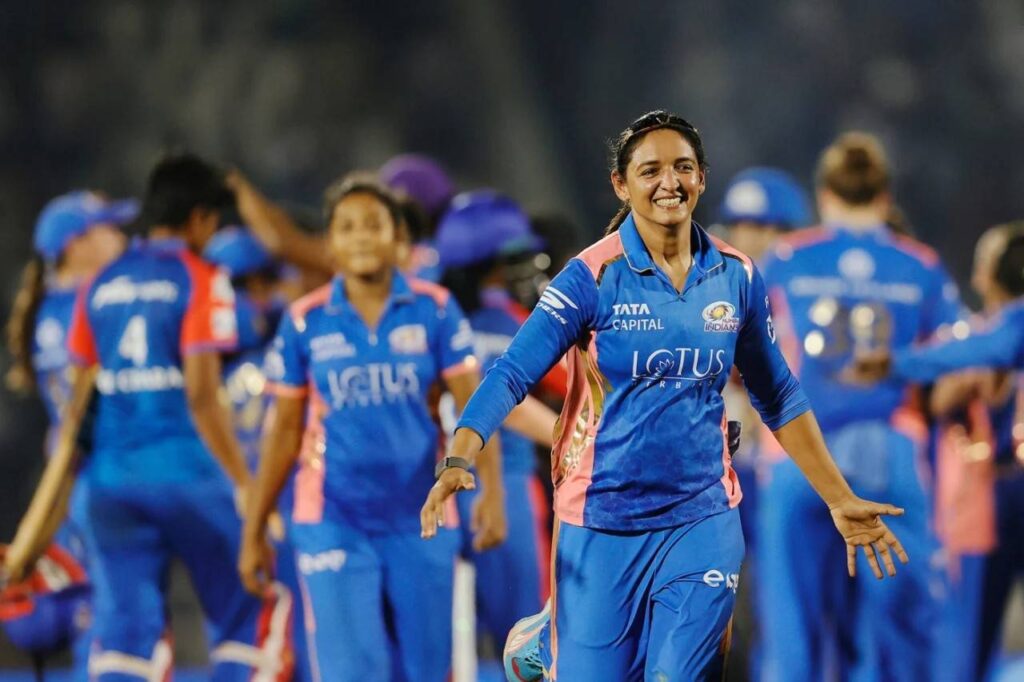
From premium seats to family-friendly packages, fans will have multiple choices to attend matches and support players. To confirm your Mumbai Indians tickets, choose your preferred match, select your preferred seats, and complete the payment online.
How to Book Mumbai Indians Women’s Match Tickets
Here is the simple process for booking tickets for the Mumbai Indians in the WPL 2026.
Step 1: Open the District by Zomato mobile application on your smartphone or visit the website in any web browser. You can also redirect to the ticket page via the WPL official website.
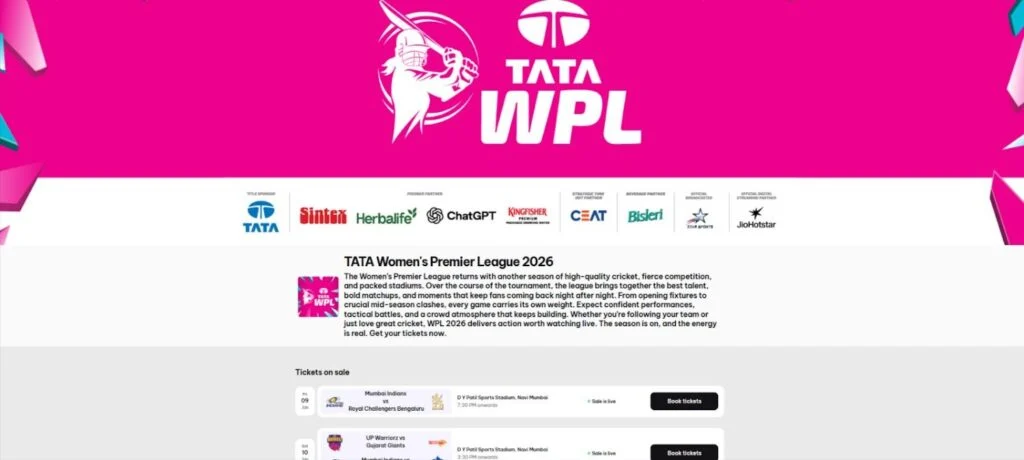
Step 2: Use the search bar to type “Mumbai Indians” or go to the Sports Events section to see all upcoming Mumbai Indians Women’s Premier League matches. Browse the Mumbai Indians Women’s matches or select a specific game by your preferred date, venue, and teams playing.
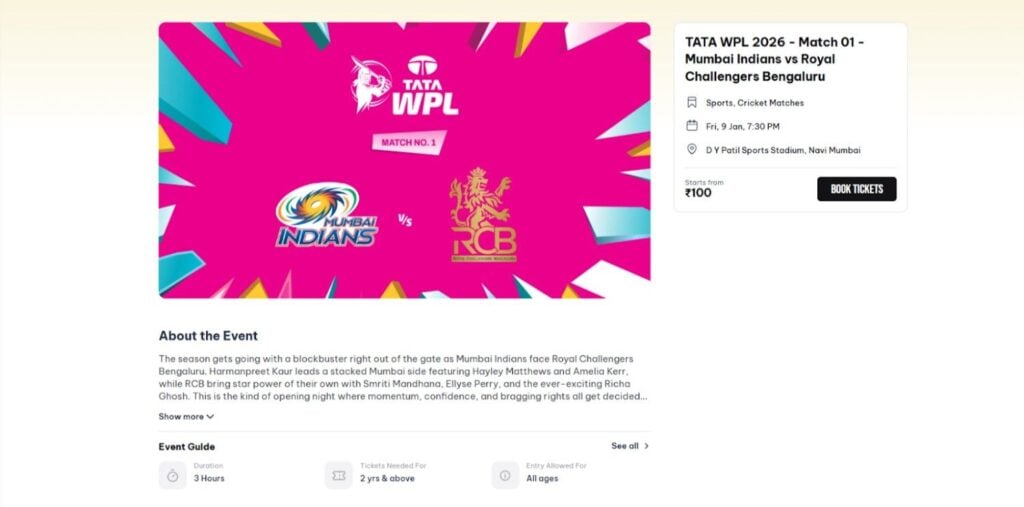
Step3: Click on the Mumbai Indians women’s match you want to watch and start your ticketing process by clicking on “Book Tickets.” Tickets will start from INR 100.
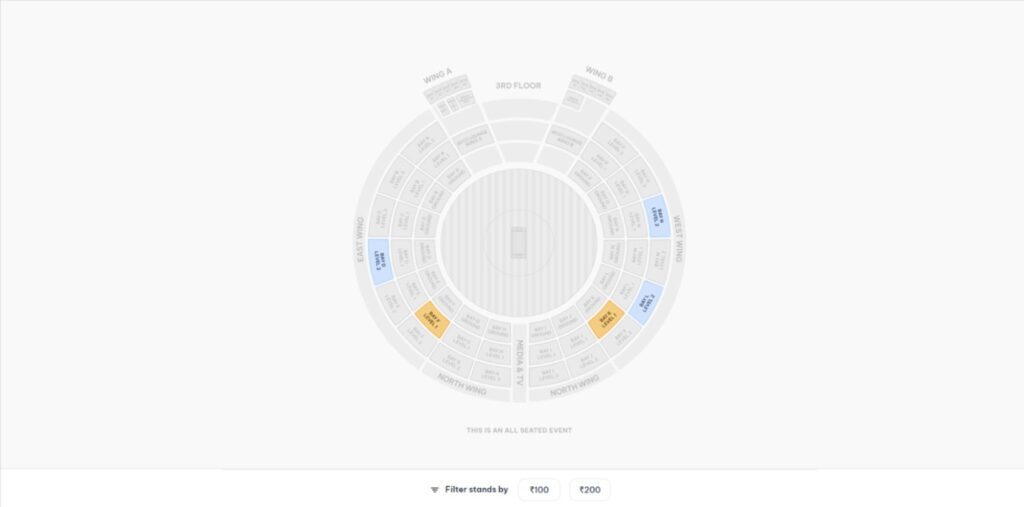
Step 4: Choose the number of tickets and the preferred stand in the venue. You can simply select the seat map and available seats, then review the total cost, including fees. Remember, you can’t buy more than 10 tickets on a single i’d.
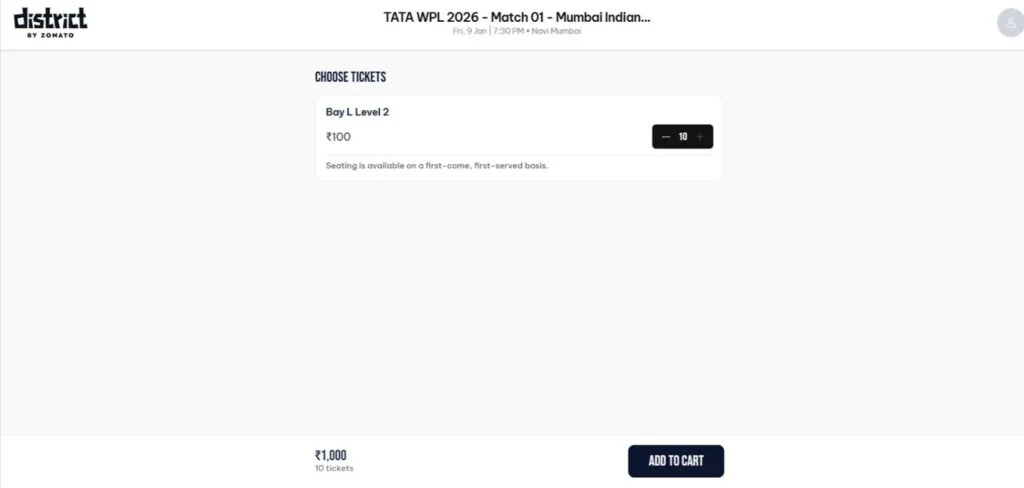
Step 5: After selecting the preferred seats and number, click “Add to Card” to proceed to payment.
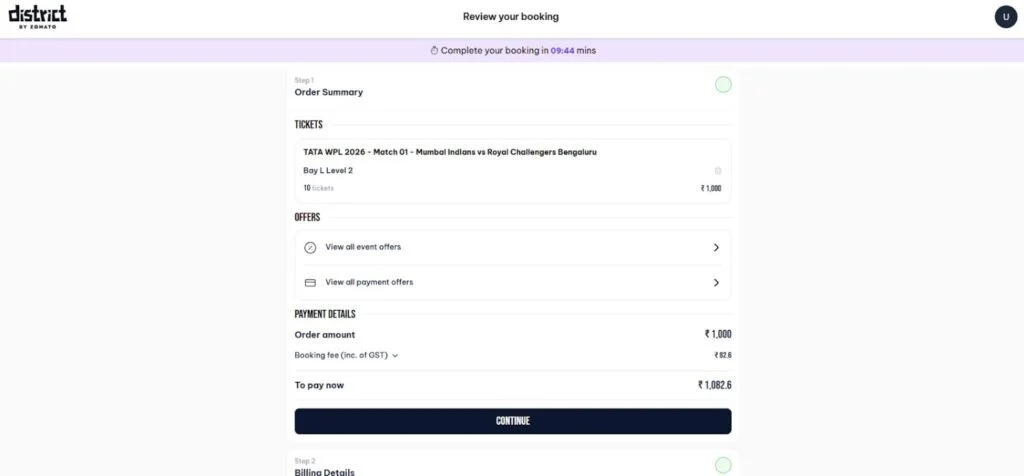
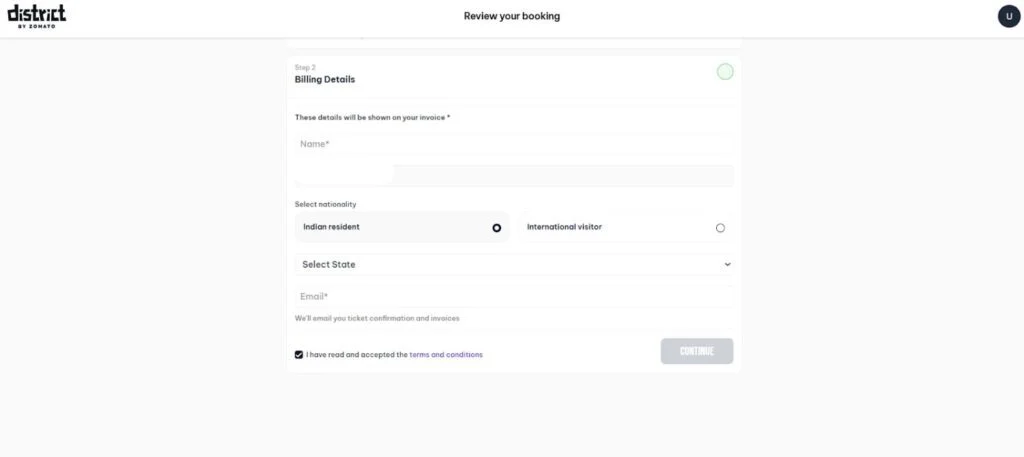
Step 6: Add your personal details, including your phone number, email ID, and payment methods, to book your tickets.
Step 7: Once the payment is complete, download your ticket digitally in the app or on the website under “My Tickets.” Scan the QR code on your phone at the stadium entrance.
Tips to Remember While Booking Mumbai Indians Women’s Match Tickets
You should remember these tips while booking the tickets:
- Keep your WPL ticket ready on your phone, as only mobile tickets booked through District by Zomato are accepted at stadium entry.
- Log in to your District by Zomato account on the app or mobile browser and open “Your Orders” to access your digital ticket.
- At the entry gate, open your ticket and show the QR code on your screen to the staff member mentioned on the ticket.
- Check your gate number below the QR code on the mobile ticket; no physical printout is required.
- Reach the stadium at least 2.5 hours before the toss and avoid carrying bags, as they are not permitted inside the venue.

Leave a Comment